HeyGen
AI avatar videos for explainers, ads, onboarding, and multilingual content.
Disclosure: some outbound links are affiliate links.
What HeyGen is
HeyGen helps you turn a script into a “talking avatar” video. You choose an avatar (or use your own), pick a voice, adjust timing, then export a ready-to-publish clip.
Best for
- Short explainers for landing pages and product demos
- Social ads and UGC-style creatives
- Onboarding / internal training videos
- Creating multiple language versions of the same video
Key features (what to look for)
- Avatars & presenters: pick a style that matches your brand (realistic vs stylized)
- Voice & languages: voice options, pronunciation controls, subtitles
- Templates & branding: consistent layouts, colors, and lower thirds
- Export workflow: fast iterations, versioning, team review
Pricing snapshot (checked April 2026)
HeyGen’s pricing changes over time and can vary by region. As of April 2026, the official pricing page lists (monthly):
- Free: $0/mo (3 videos/month, up to 1‑min, 720p export)
- Creator: $29/mo (up to 30‑min videos, 1080p export, brand kit, watermark removal)
- Pro: $99/mo (4K export, faster processing, translation script proofreading, higher Premium usage)
- Business: $149/mo (additional seats listed at $20/seat)
- Enterprise: custom pricing
Prices exclude taxes/fees. Always confirm current plan limits before subscribing.
Screenshots
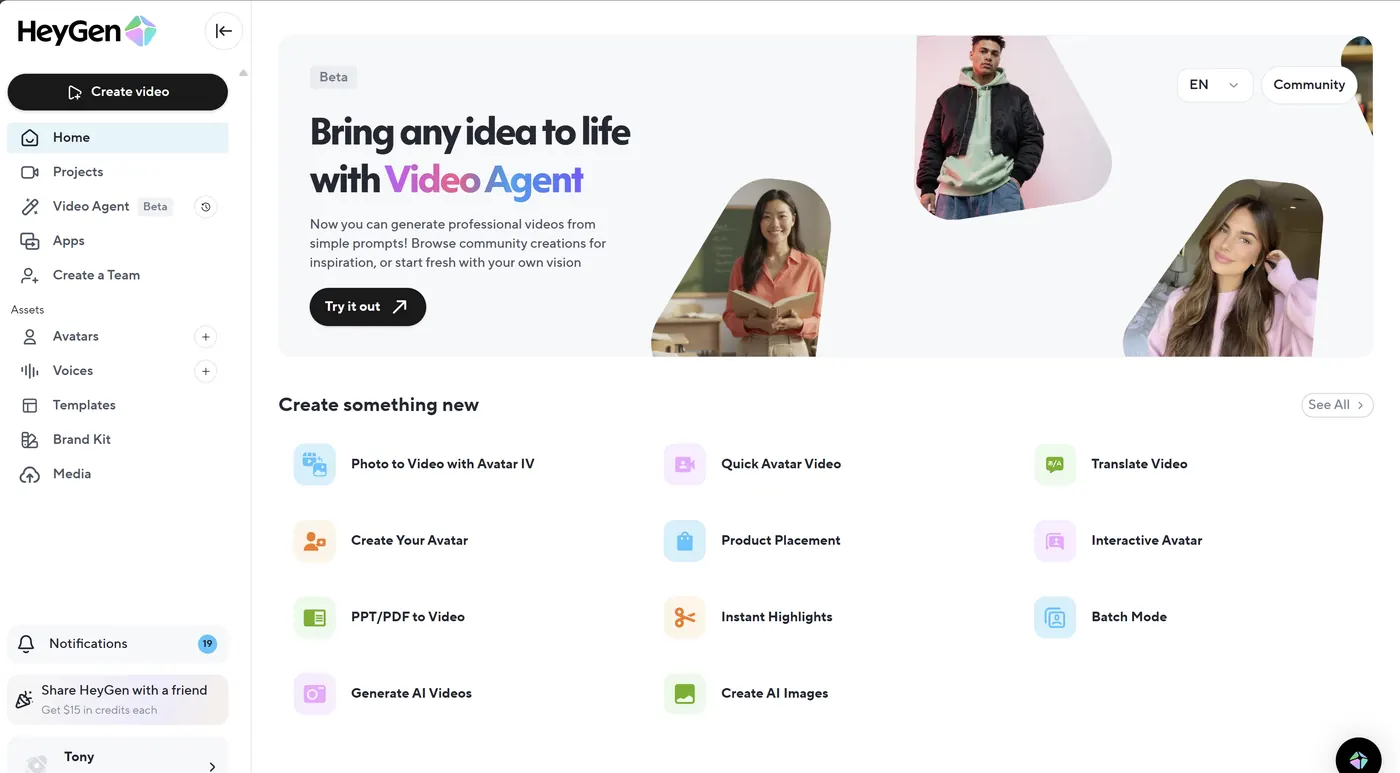
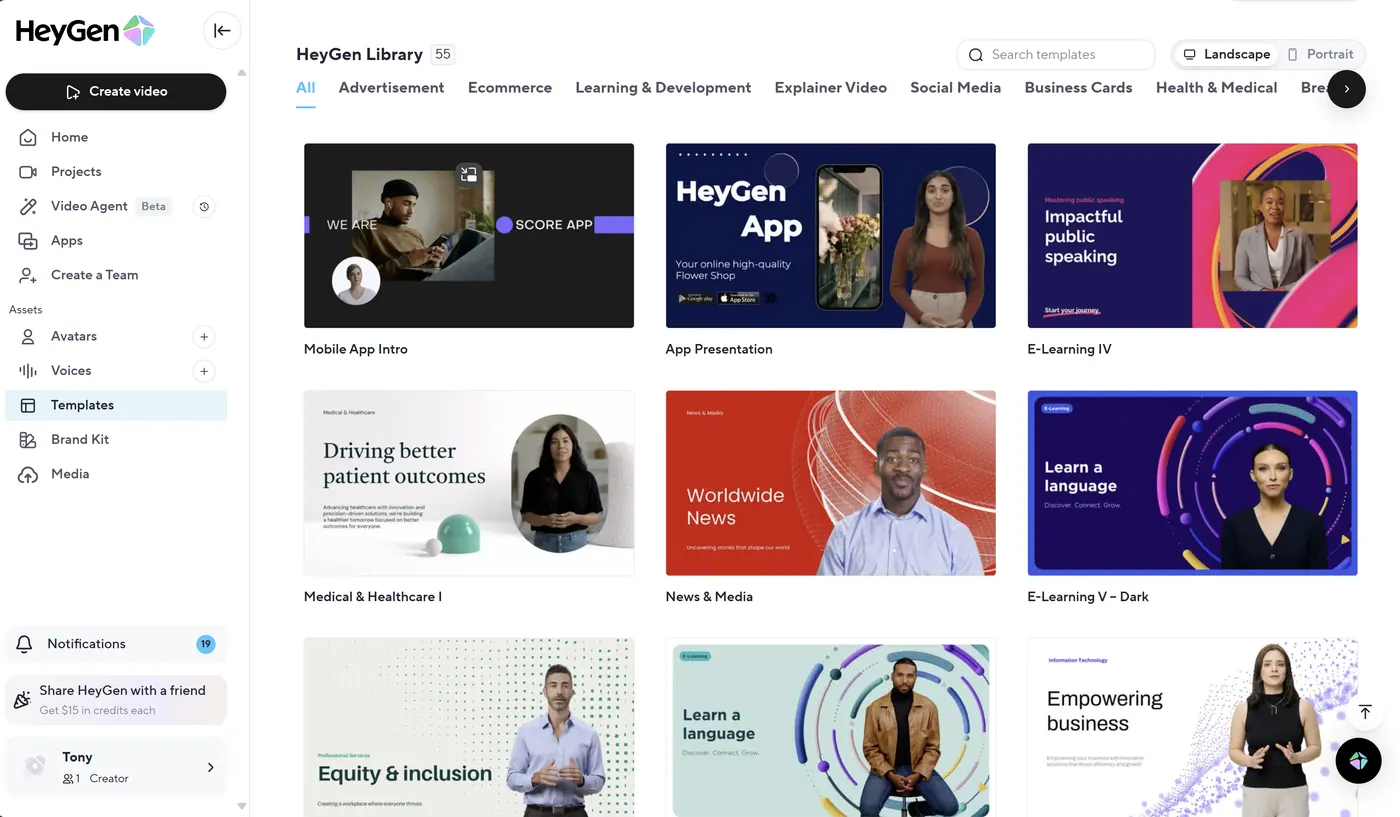
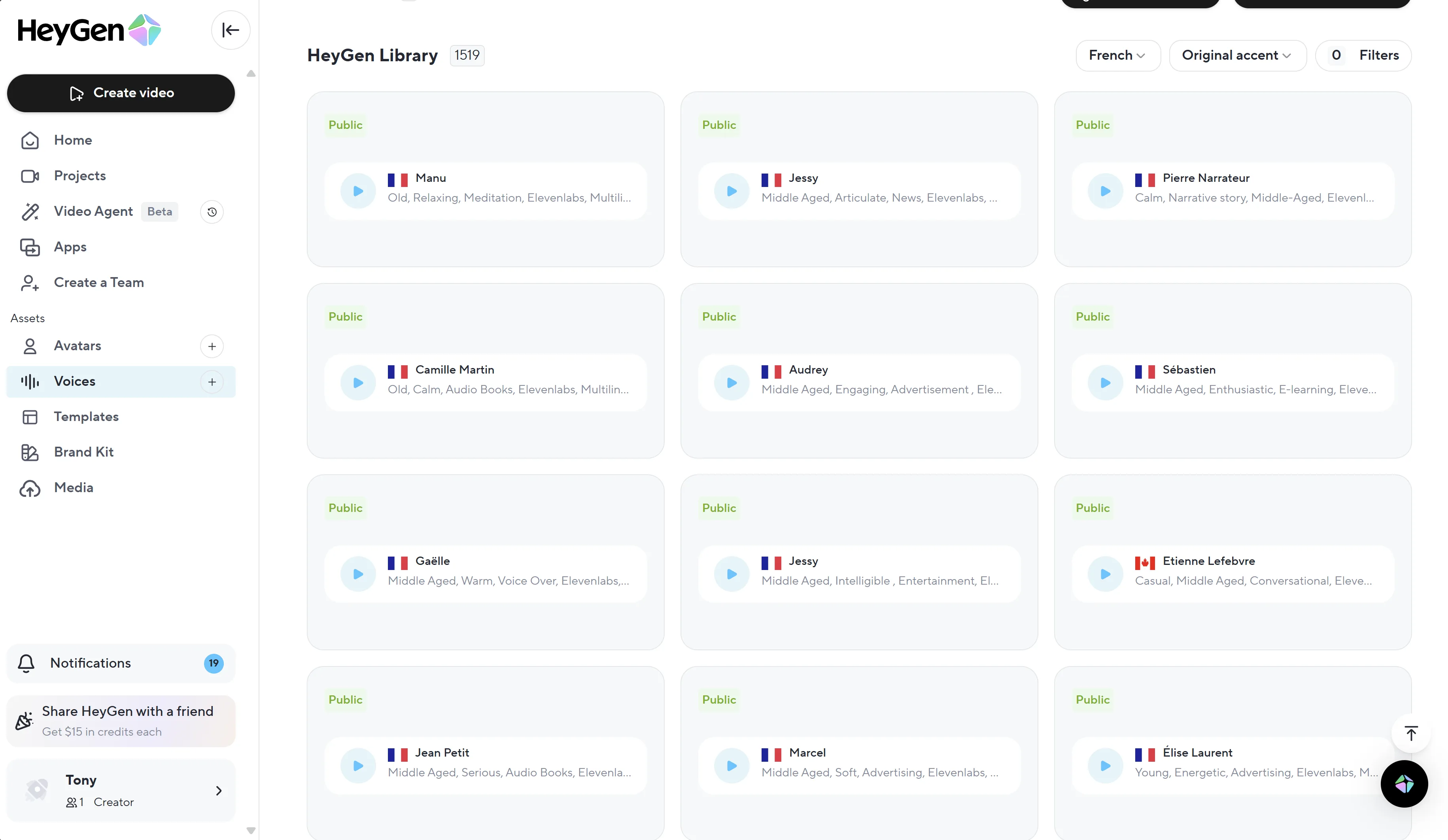
Video demo
Quick start workflow
- Start with a short script (60–120 seconds).
- Choose an avatar and voice (prioritize clarity over “hype”).
- Add captions (most platforms reward clarity).
- Export and test 2–3 hooks (first 3 seconds).
- Track what works, then iterate.
Pros & cons
Pros
- Fast way to produce presenter videos without filming
- Great for scalable variations (hooks, languages, offers)
- Consistent delivery for training and explainers
Cons
- Quality depends heavily on script, pacing, and voice choice
- Some use cases require careful disclosure/branding
- Not a replacement for real on-camera storytelling in every niche
Alternatives
- InVideo AI for template-driven, fast social videos
- Akool for creative visuals and avatar workflows
- CapCut for editing + captions and finishing
- ElevenLabs for voiceovers and narration
- Pictory for turning scripts/articles into videos
FAQ
Do I need a camera to use HeyGen?
+
No. You can create a full avatar video from a script, then export it as a standard video file.
Should I always use an avatar?
+
Not always. For some audiences, a simple screen recording + voiceover can convert better. Test both formats.
Any compliance tips?
+
Use clear branding, avoid misleading impersonation, and keep your claims accurate. When in doubt, prefer transparency.
Related guides
- Video Localization — subtitles vs dubbing vs lip‑sync + QA.
- Creator Stack (2026) — end-to-end workflow for marketing videos.
- UGC Ads System — testing hooks, proof, and CTAs.
Related articles
- Video Localization Guide (2026): subtitles vs dubbing vs lip-sync
- HeyGen and Kling: The AI Video Avatar Revolution
Sources (pricing & docs)
- Official pricing: https://www.heygen.com/pricing