Pictory
Turn a script, blog post, or long video into short, structured clips.
Disclosure: some outbound links are affiliate links.

What Pictory is
Pictory is built for repurposing. You bring the input (script, article, or a long recording), then you generate a video draft that you can refine with captions, visuals, and pacing.
Best for
- Turning blog posts into social videos
- Repurposing long videos into Shorts/Reels clips
- Faceless channels that rely on stock visuals + captions
- Marketing videos that need speed over complex editing
Key features (what to look for)
- Script → scenes: how well it structures your content
- Captions & readability: typography, spacing, and pacing
- Branding: colors, fonts, logos, and reusable templates
- Export options: formats that fit your channels
Pricing snapshot (checked April 2026)
Pictory is typically sold as a monthly or annual subscription. As of April 2026, the official pricing page lists tiers like:
- Starter: from $29/mo (billed annually) — 200 video minutes/mo, 1 user, 25 GB storage, 1 brand kit, ~90 ElevenLabs voice minutes, 100 generative AI credits
- Professional: from $59/mo (billed annually) — 600 video minutes/mo, 1 user, 250 GB storage, 5 brand kits, ~210 voice minutes, 200 credits
- Teams: from $199/mo (billed annually) — 1,800 video minutes/mo, 3 users, 500 GB storage, 10 brand kits, ~450 voice minutes, 500 credits
Promotions and monthly-billing prices can change—always confirm your exact limits and price before subscribing.
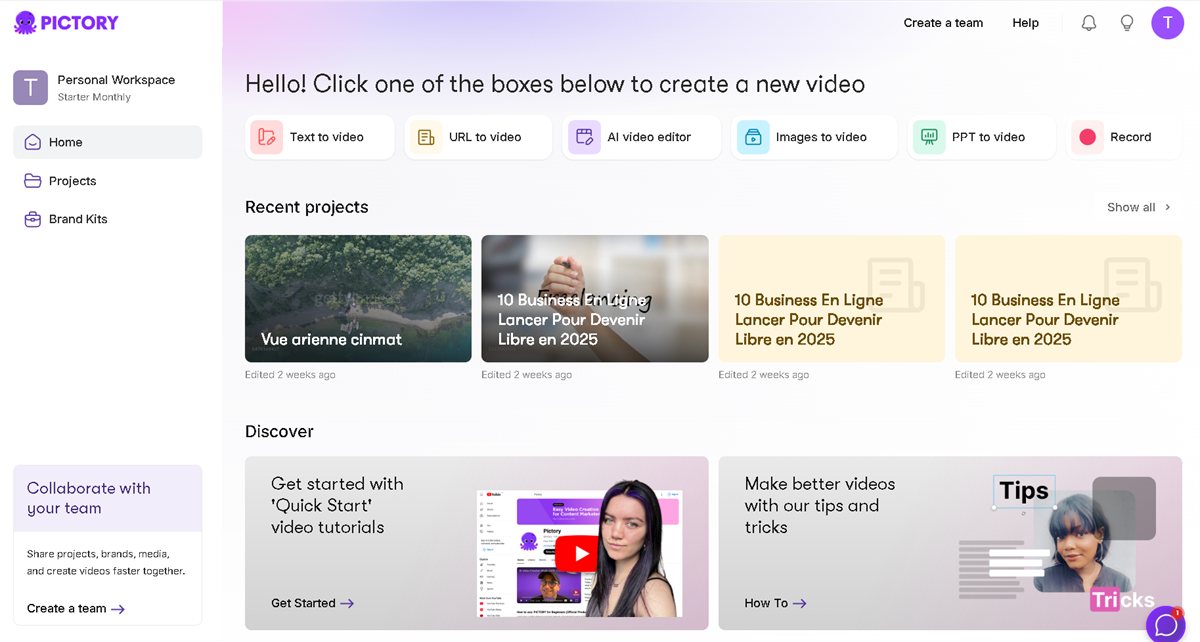
Screenshots

Video demo
Quick start workflow
- Paste a script or import an article.
- Keep scenes short (1 idea per scene).
- Fix captions first (clarity beats fancy visuals).
- Swap visuals where needed (relevance matters).
- Export, test, iterate.
Pros & cons
Pros
- Fast repurposing from text/content to video
- Great for batching content
- Captions-first workflow supports retention
Cons
- Some scenes need manual tweaks to feel “human”
- Quality depends on the input structure
- For advanced edits, you still need an editor
Alternatives
- InVideo AI for template-based social video creation
- CapCut to finish edits and captions
- ElevenLabs to improve voiceover quality
FAQ
Is Pictory good for Shorts/Reels?
+
Yes—especially for repurposing. Keep scenes short and optimize the first seconds.
Do I need stock footage?
+
Not necessarily, but relevant visuals help. You can also use your own b‑roll and assets.
Can I build a repeatable workflow?
+
Yes. Create templates for structure and branding, then batch production weekly.
Related guides
- Creator Stack (2026) — script → shots → edit → publish.
- UGC Ads System — hook testing and variant hygiene.
- Video Localization — subtitles and dubbing when scaling markets.
Related articles
- Creator Stack Workflow Checklist (2026)
- InVideo AI Review (2026): templates, workflows & alternatives
Sources (pricing & docs)
- Official pricing: https://pictory.ai/pricing